Basketball Arcade Guides
How to Play Basketball Games on Mobile
Touch controls, orientation, battery saver, and the three phone settings that quietly ruin timing games.

Browser basketball games are close to ideal on a phone: short rounds, one main input, nothing to install. But a phone is also where small configuration issues quietly ruin timing games, and most players never connect the two.
What happens automatically
You do not have to enable anything.
When you open a game on a touch device, the on-screen control bar appears below the court, the playfield resizes to your screen, and scrolling is suppressed over the court so a swipe does not drag the page while you are mid-round. Rotating the device re-lays out the court without ending your run.
Landscape versus portrait
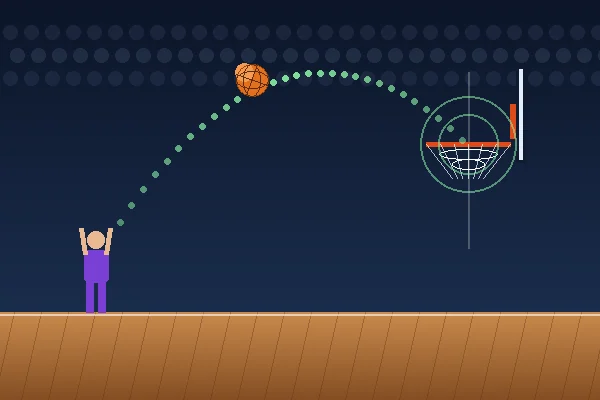
Landscape gives a wider court. In the shooting games that means longer ball flight, which means more time to read the shot and more room for the hoop to sit at a useful distance. If you are playing Basketball Shooting Challenge or the 3-Point Challenge for a score, rotate.
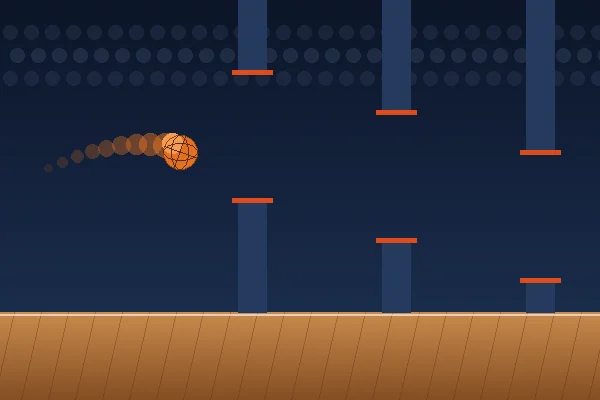
Portrait is fine for the one-button games. Basketball Hoop Rush in particular plays well in portrait, because the gap between hoops is what matters and a narrower screen actually gives you slightly less to track.
One practical note: in landscape on a short screen, the site hides the sticky header and gives the court a wider aspect ratio, so you get the whole display for the game.
Two ways to tap
Both work in every game:
- Tap the court itself. Anywhere on the playfield triggers the main action. This is usually more
comfortable — your thumb stays where it already is.
- Use the button bar. The labelled buttons below the court are larger targets and make the
available actions explicit. In Dunk Challenge you need the bar anyway, because brake and sprint have no court-tap equivalent.
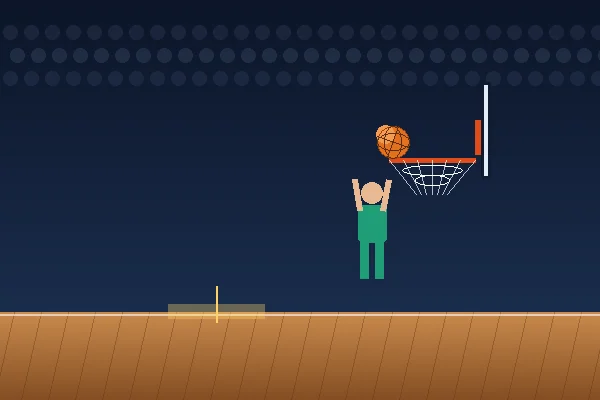
For Basketball Time Attack, remember the input is a hold: press and keep your finger down to charge, lift to shoot.
The three settings that cost you accuracy
This is the part worth acting on.
1. Low-power / battery saver mode. Every major phone reduces animation frame rate in power saving mode. A game running at 30 frames per second instead of 60 gives you a visibly coarser meter and roughly double the input granularity — which is fatal in a game with a tight timing window. If you are playing for a best score, turn it off.
2. Background tabs. Mobile browsers share one rendering budget. A dozen open tabs, especially ones with video or live content, will produce stutter that looks like the game being unfair.
3. Heat. A phone that has been charging, or running something heavy, throttles. Timing accuracy is the first casualty. If runs suddenly feel worse than they did an hour ago, this is often why.
Where your scores live
Best scores are stored in your browser's local storage, on that device. That has a few consequences worth knowing:
- A score set on your phone will not appear on your laptop. They are separate.
- Private or incognito browsing generally discards the storage when you close the tab, so scores
will not persist.
- "Clear browsing data" clears them.
- Nothing is uploaded anywhere. Your scores are yours and stay on your device — see the
privacy policy for the specifics.
Adding the site to your home screen
Most mobile browsers let you save a page to the home screen from the share or menu button. Doing that with the games page gives you a one-tap launcher that opens without browser chrome, which is a slightly larger playfield and one fewer step.
This is a browser feature, not an app install — nothing is downloaded and nothing runs in the background.
Which games play best on a phone
| Game | Phone rating | Why |
|---|---|---|
| Basketball Hoop Rush | Excellent | One button, portrait-friendly, short rounds |
| Basketball Precision Shot | Excellent | One button, no clock, forgiving pace |
| 3-Point Basketball Challenge | Very good | One button, benefits from landscape |
| Dunk Challenge | Very good | Needs the button bar for brake and sprint |
| Basketball Time Attack | Good | Hold-and-release takes a round to adapt to |
| Basketball Shooting Challenge | Good | Drag aiming is precise but wants landscape |
Phones versus tablets
They are different enough to be worth separating.
Phones favour one-button games and portrait play. The screen is small enough that a wide court compresses the useful detail, and the grip means your thumb is already near the bottom of the screen. Basketball Hoop Rush and Basketball Precision Shot are the two that feel designed for this, because they are.
Tablets are closer to a desktop experience. There is room for the wide court that the shooting games want, and drag-to-aim in Basketball Shooting Challenge is genuinely comfortable with a finger or a stylus on a ten-inch screen in a way it is not on a phone.
One practical difference: tablets are more likely to be resting on a surface, which makes hold-and-release inputs in Basketball Time Attack easier to control than they are one-handed on a phone.
Grip and thumb position
Small thing, real effect.
Tapping the court rather than the button bar means your thumb stays roughly where it already is, which removes a small movement from every input. Over a sixty-second round that is dozens of movements saved and a more consistent rhythm.
For the shooting games in landscape, holding the device with both hands and using a thumb from whichever side is more comfortable works better than reaching across with one hand. The tap target is the whole court, so there is no accuracy requirement on where you press.
For Dunk Challenge, the button bar is unavoidable because brake and sprint have no court equivalent — two thumbs, landscape, is the comfortable configuration.
Data, battery and offline
Data. A game page here is a few tens of kilobytes plus a small shared engine file. There are no downloaded sprites or audio files, because everything is drawn and generated in code. Playing for an hour uses less data than loading one image-heavy news article.
Battery. Canvas animation at 60fps does use power, comparable to scrolling a busy page continuously. It is not comparable to video playback. If you are conserving battery, the games will still work in low-power mode — they will just cost you some timing accuracy, as described above.
Offline. The site does not currently work offline. Once a game page has loaded, the game itself keeps running if you lose connection mid-round, because nothing is fetched during play. But navigating to a new page needs a connection.
Things that go wrong on phones specifically
The page scrolls while you play. It should not — scrolling is suppressed over the court. If it happens on your device, that is a bug worth reporting with the browser and model.
The court is cut off in landscape. Usually a browser UI overlay. Scrolling down one line normally settles it, and the site already removes the sticky header in short landscape viewports for this reason.
Scores vanish between sessions. Private browsing, or site data blocked. Both clear local storage.
A tap registers twice. Almost always a double-tap zoom gesture being interpreted alongside your input. It should be prevented over the playfield; if you see it, report it.
Everything feels slightly delayed. Battery saver first, then background tabs, then heat. In that order.
If something is not working
Buttons missing: your device is reporting a fine pointer. Tap the court instead.
Page scrolls while playing: this should not happen over the court. If it does on your device, let us know with the browser and phone model — that is a bug, not a setting.
Silent: browsers block sound until your first tap. If it stays silent after that, check the Sound button; the preference is remembered.
Scores not saving: you are likely in private browsing, or site data is blocked for this site.
Frequently asked questions
Do I need to install anything to play on a phone?
No. Every game runs in the mobile browser. There is no app, no download and no account.
Is landscape or portrait better?
Landscape for the shooting games, because the court is wider and the ball is in flight longer, which gives you more time to read it. Portrait is perfectly good for the one-button games such as Basketball Hoop Rush.
Why do my scores disappear?
Scores are stored in your browser on that specific device. Private or incognito browsing usually clears that storage when you close the tab, and clearing site data removes it too. A score set on your phone will not appear on your laptop.
Why does the game feel laggy on my phone?
Usually battery saver or low-power mode, which reduces the animation frame rate. Heavy background tabs and very hot devices have the same effect. Timing games are the first thing to suffer from dropped frames.
References
External sources used in this article. Game mechanics described above come from the games’ own rules, which are documented on each game page.
- Touch action — MDN Web Docs — The CSS property used to stop the page scrolling while you play.